Design Flex 2026: What's new and why it matters for your showroom
Kitchen Bathroom

Vanessa Dekoekkoek
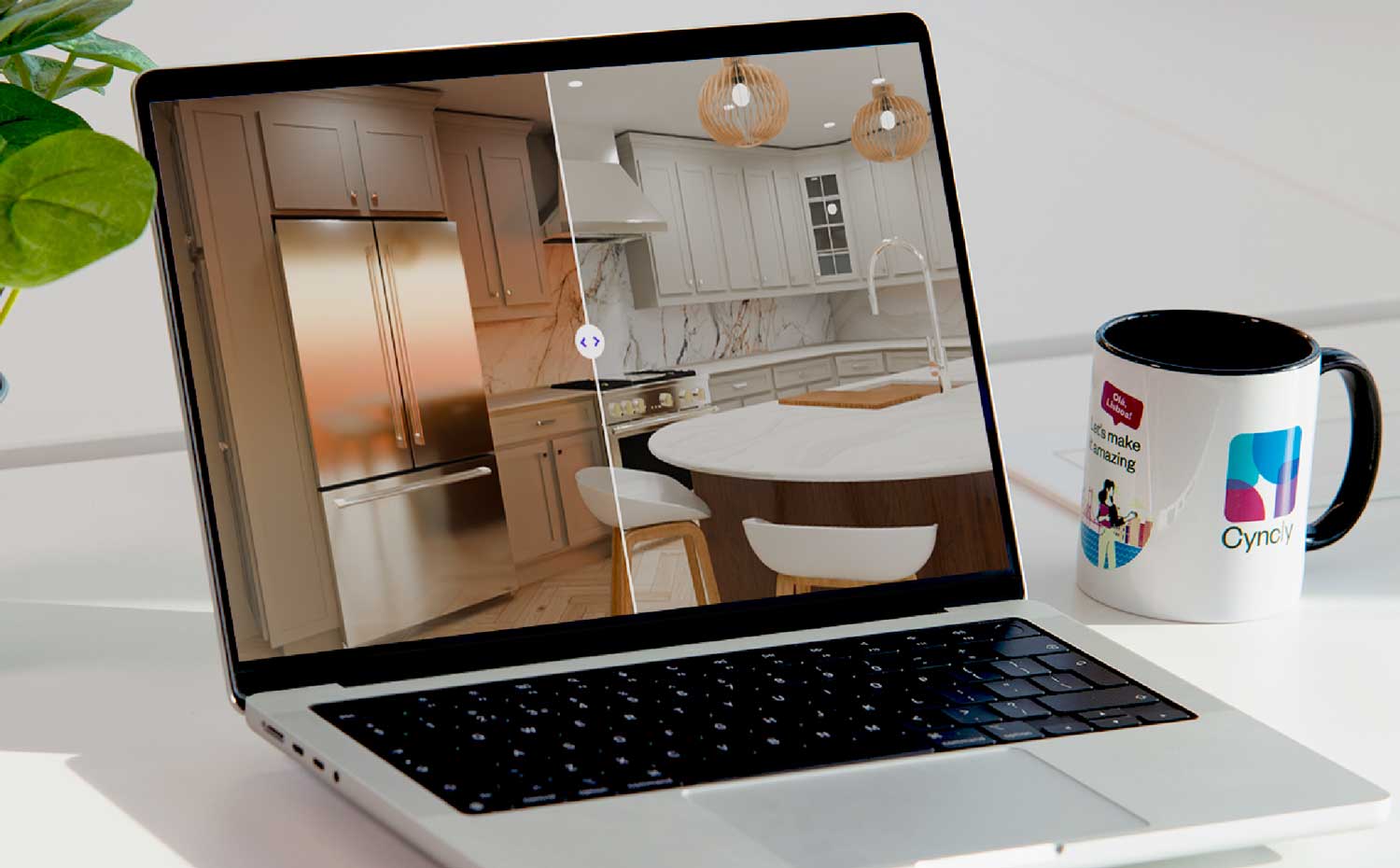
Walk into any well-run kitchen or bathroom showroom today and you'll notice something has changed. Clients arrive better informed, with saved inspiration boards, budget spreadsheets, and very specific ideas about what they want. They've already browsed online, watched renovation videos, and formed strong opinions. What they haven't done yet is trust someone enough to commit.
That moment of trust often lives or dies on one thing: how well you can show them their future kitchen or bathroom. Not a rough concept, not a paint-by-numbers floor plan, but a rendering so close to reality that they can picture themselves standing in it.
Design Flex is the kitchen design software built for exactly that. In 2026, the platform helps kitchen and bathroom retailers work faster, present with greater confidence, and manage projects more cleanly as the business grows. Whether you're long-time users of 2020 Design — now evolved into Design Flex — or new to the platform, here's everything that matters this year.
 Photorealistic kitchen renderings that close deals: Cycles rendering engine updates
Rendering quality has long been a source of frustration for kitchen design software users. Lighting that renders "washed out" or "very dark." Sunlight controls that don't behave predictably. Setups that take too long to configure and still don't look right.
Today's consumers expect to see their future space before they commit. Yet in many showrooms, the gap between what a designer can visualize and what the client sees on screen remains wide. Closing that gap is where the sale happens.
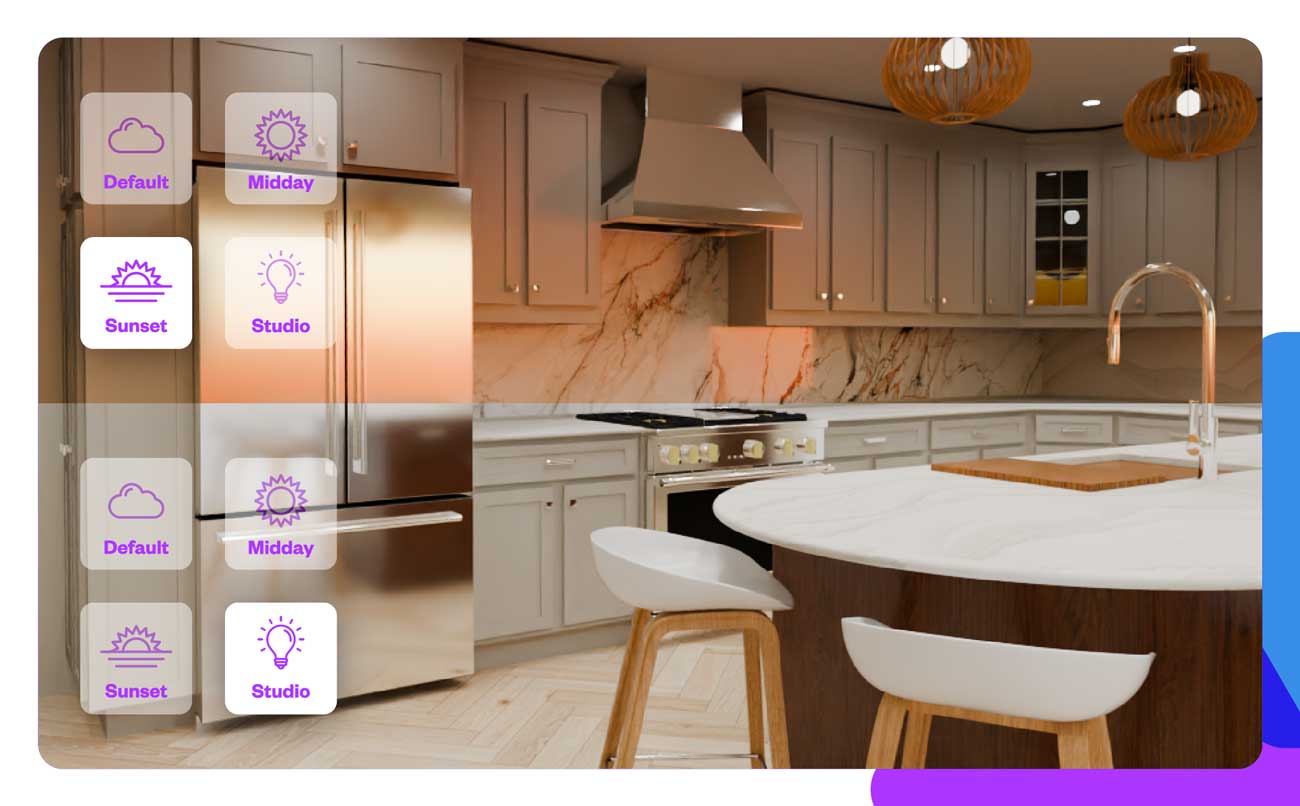
The Cycles rendering engine, now switched on by default in Design Flex, addresses this directly.
Better light, faster
Cycles uses physically accurate lighting simulation to produce renders that look the way a real room looks: materials that reflect correctly, shadows that fall naturally, glass and surfaces that behave as they do in life. The 2026 Design Flex Version 14.9 update makes this the standard experience, so designers aren't choosing between speed and quality every time they open a project.
New lighting presets mean you no longer need to configure lighting from scratch. Choose a preset, adjust if needed, and move on. For designers managing multiple client appointments in a day, that time saving adds up.
Sunlight positioning controls give you direct control over the mood and warmth of a rendering. Cool, neutral, or warm tones can be dialed in to match what a client is looking for, or to reflect the natural light of a specific home orientation. Particularly valuable when you're working with clients who have strong preferences about the feel of their space.
Textures, edges, and 360° views
The updated engine also delivers textures with edge definition, so materials like tile grout lines, cabinet door profiles, and countertop edges read clearly in renders. This level of detail matters in kitchens and bathrooms, where the specifics of a surface or finish can be the deciding factor in a sale.
For 360-degree panoramic views, a new fast rendering mode reduces the time it takes to generate an immersive client experience. 360s are increasingly used in client presentations as a way to let someone "stand in" a space before it's built. Faster rendering makes producing one for every project practical, not a special occasion.
A faster design workflow
The small friction points across every project, every day, add up. These updates target them directly.
Updated default textures and colors
Design Flex has refreshed its default texture and color library to reflect what's actually selling in kitchens and bathrooms right now. Designers can start with a palette already aligned with current market preferences, instead of hunting for the right base materials at the beginning of every project. That's time back in the design, where it counts.
Toolbar search
Finding the right function at the right moment is a small problem that compounds over a workday. The new toolbar search lets designers locate any function quickly, without memorizing menu structures or clicking through layers of options. For newer team members still building familiarity with the software, this reduces the learning curve considerably.
In-app feedback tools
Design Flex now includes two in-app feedback channels: a catalog feedback option and a general feedback button. If a catalog item doesn't look right, or a feature isn't behaving as expected, designers can flag it without leaving the software or writing a separate email. This shortens the loop between what's happening in a real showroom and what the product team can fix or improve. The product is evolving actively, and user experience in real showroom conditions is driving those changes.
Flex Cloud: Project management software built into your design tool
As kitchen and bathroom retailers grow, project management becomes its own challenge. Quotes living in email threads, documents spread across local drives, no clear view of which projects are on track and which are stalling. For independent retailers scaling up, and for specialist retailers managing volume, this is a real operational bottleneck.
Flex Cloud, the cloud infrastructure underpinning Design Flex, added project and document management capabilities in 2026.
Cloud project saving and document management
Projects saved to the cloud are accessible from any machine, with automatic backups that protect against data loss. The document management features create a centralized home for everything attached to a project: plans, specs, client communications, and signed agreements. No more searching for the "final" version of a file across multiple folders or inboxes.
Project status tracking
A project status board gives teams a real-time view of where each job sits in the pipeline. For retailers managing multiple concurrent projects across a design team, this visibility helps managers spot bottlenecks before they become problems, and helps designers prioritize their work.
PDF merging
Client presentations often involve pulling together multiple documents: floor plans, elevation views, product specifications, pricing summaries. The new PDF merging capability lets designers combine these into a single, professional document before sending or presenting. A small feature, but it makes a noticeable difference in how polished and organized your client communication looks.
Cyncly Payments
Design Flex now integrates directly with Cyncly Payments, enabling retailers to send invoices and collect payments (including ACH bank transfers and credit card payments) without leaving the platform. For retailers who currently handle invoicing through a separate system, this removes a step and keeps the full client journey inside one environment.
According to a 2026 home renovation market analysis by Statista, 57% of US homeowners now prefer online or hybrid design and purchasing experiences. Meeting that expectation means making every touchpoint professional and consistent, including how you collect payment.
 What's coming next
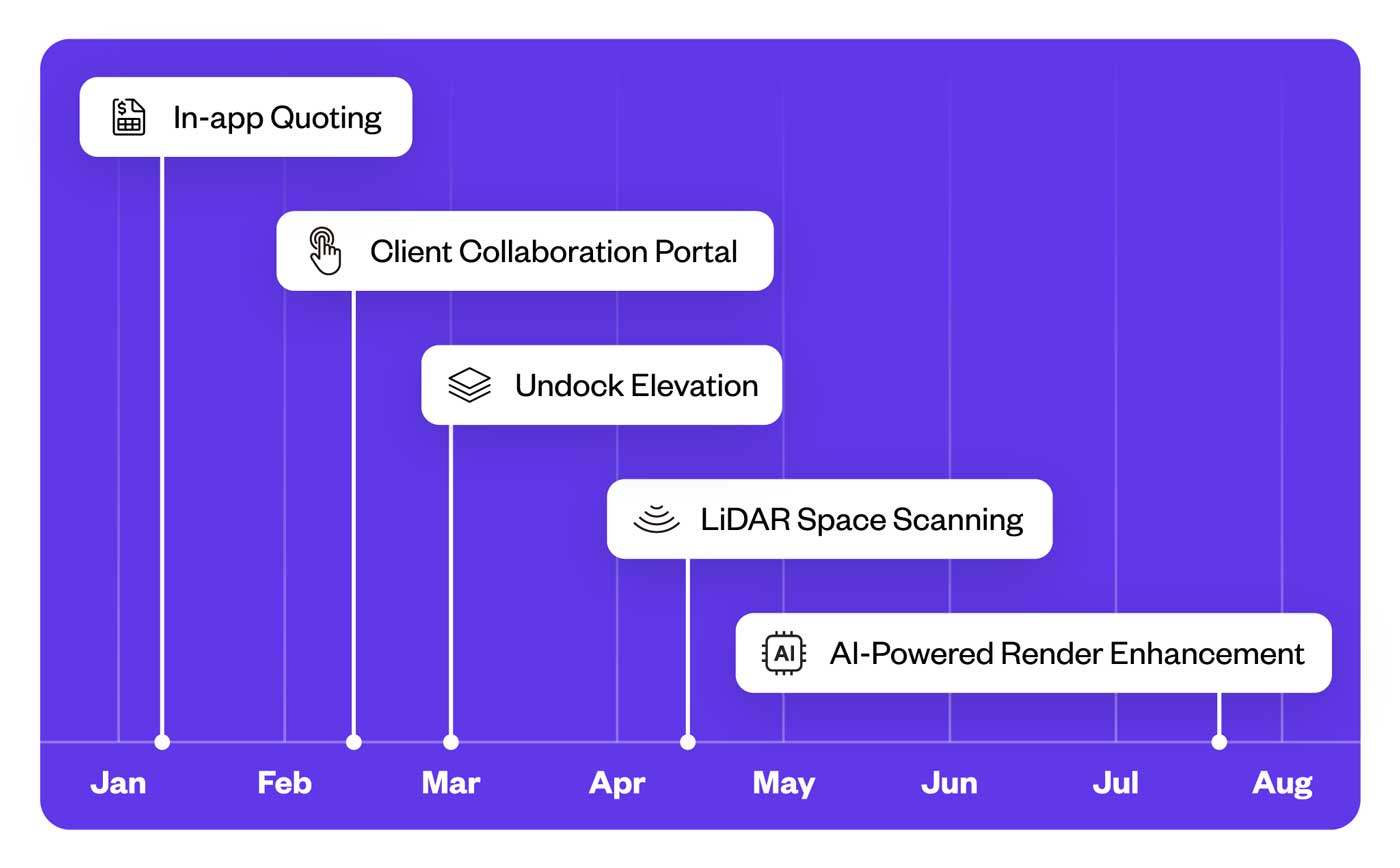
Five capabilities are on the near-term roadmap:
- In-app quoting will let designers build and present quotes directly within the design environment, keeping the sales conversation connected to the design work rather than requiring a switch to a separate quoting system.
- A client collaboration portal is in development, giving clients a way to view, review, and comment on designs without needing a Design Flex license. For retailers who want to involve clients more actively between appointments, this could reshape how the design iteration process works.
- Undock Elevation will return as a capability, allowing elevation views to be detached and displayed separately. Useful for showroom presentations across multiple screens.
- LiDAR space scanning will enable accurate room measurement using a mobile device, capturing precise dimensions that feed directly into a design. For designers who currently rely on manual measuring, this has the potential to remove one of the most time-consuming steps in the early stages of a project.
- AI-powered render enhancement is on the roadmap, using artificial intelligence to improve render quality further. As physically based rendering and AI-driven workflows become standard practice, having this capability built into your design software replaces what previously required outsourcing or significant manual post-processing.
Why these updates matter for your showroom
The kitchen and bathroom retail market is moving toward a higher standard of client experience, faster turnarounds, and more professional presentation at every stage of a project. The retailers who meet that standard consistently win repeat business and referrals.
Rendering quality directly influences purchase decisions. Workflow friction costs real time across every project. And as your business grows, you need project management that keeps pace. The 2026 Design Flex updates address all three, without adding complexity.
Explore the full capabilities at cyncly.com/products/design-flex.
Share this article

Related blogs
Homebase just got smarter. Here’s what’s new.
 Flooring
Kitchen
Bathroom
Flooring
Kitchen
Bathroom
23/7/2026
Discover Cyncly Websites' June 2026 updates, featuring five powerful lead management upgrades in Homebase and a visual media library grid view.
What software do kitchen designers use? An honest look at the tools professionals rely on
Kitchen
21/7/2026
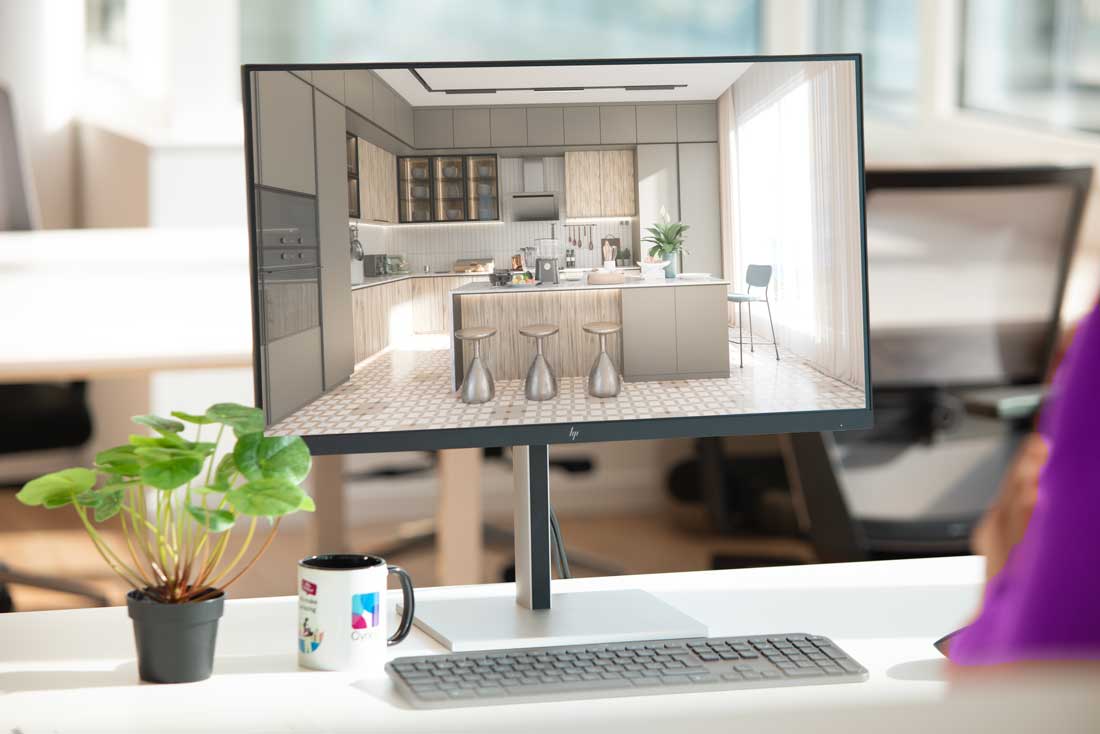
Explore the essential software kitchen designers use, from CAD to specialized platforms like Cyncly Design Flex and Winner Flex.
The Connected K&B Website: From First Search To First Consultation
Kitchen
Bathroom
20/7/2026
A K&B shopper spends months researching before contacting a retailer. A connected website lets her explore products, form preferences, and book a consultation at 9pm on a Tuesday — and delivers everything she did to the designer's inbox before the first call. This article walks the nine signals that show where the gaps are and the 90-day path to closing them.